
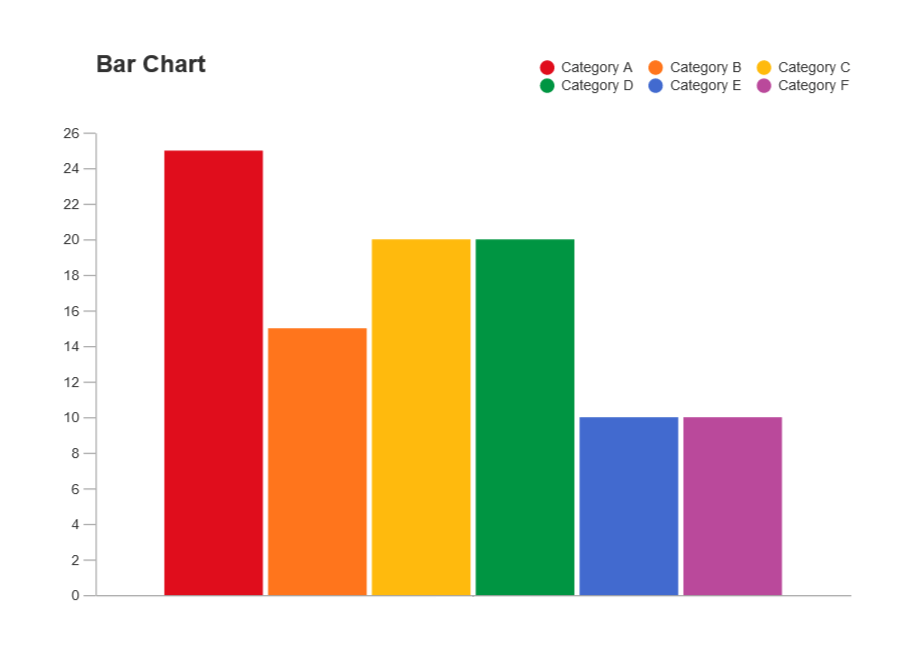
Visualize Data with a Bar Chart
This is walkthrough for this project from start to finish. On the one hand we will define the framework of the project before implementing it. And on the other hand, we will be able to have an overview of the result
Notes
1. Project Setup
Looking at what we need to create and talking through the structure of the task.
- Create skeleton page, set title
- Import D3
- Create and link script page
- Create and link stylesheet
- Create svg canvas with id
- Set body display and svg bg
1
2
3
4
5
6
<svg id="canvas"></svg>

<script src="https://d3js.org/d3.v5.min.js"></script>

<script defer src="./script.js"></script>
1
2
3
4
5
6
7
8
9
10
11
12
13
14
15
16
17
18
19
20
21
22
23
24
25
@import url('https://fonts.googleapis.com/css2?family=Source+Sans+Pro&display=swap');

*{
    font-family: Roboto, sans-serif;
}

html{
    height: 100%
}

body {
    background-image: radial-gradient( circle farthest-corner at 92.3% 71.5%,  rgba(83,138,214,1) 0%, rgba(134,231,214,1) 90% );
    display: flex;
    flex-direction: column;
    justify-content: center;
    align-items: center;
    height: 100%;
}

svg{
    background-color: #DEF2F1;
    box-shadow: 0px 3px 15px rgba(0,0,0,0.2);
    border-radius: 5px;
    padding: 10px;
}
2. Creating Variables and Functions
- url points to JSON File
- request is XMLHTTPRequest used for importing
- dataObj will store response
- data will store array of data
- yScale will be a scale used to determine the height of the bars
- xScale will be a scale used to determine where the bars are placed on the canvas horizontally
- xAxisScale is used to create the xAxis
- yAxisScale is used to create Y axis, we need separate scales for axes because we need to invert some properties
- canvasDimension shows SVG area
- padding will be padding dimension
- svg is a d3 selection of the svg area we created for quick access
- drawCanvas() draws the svg canvas with width and height attributes
- generateScales() generates the scales and assigns them to the variables
- drawBars() will draw the actual bars and tooltips
- generateAxes() will draw the X and Y axis on the canvas
1
2
3
4
5
6
7
8
9
10
11
12
13
14
15
16
17
18
19
20
21
22
23
24
25
26
27
28
29
30
31
let url = 'https://raw.githubusercontent.com/freeCodeCamp/ProjectReferenceData/master/GDP-data.json';

//Create request variable
let request = new XMLHttpRequest();

//Variable to store data from API
let dataObj;
let data = [];

//Create variable Linear scales
let yScale; //height scale
let xScale; //width scale

//Create Variable for Axis scale
let xAxisScale;
let yAxisScale;

//Canvas Dimnension
let canvasDimension = {
    width : 900,
    height : 500,
}

//Create padding for axis
let padding = {
    width: 80,
    height: 70,
}

//Create main container
let svg = d3.select('svg');
3. Fetching Json Data
- Open request
- Set onload, parse the responsetext and store as data
- Set values to .data field which contains the array
- Log this
- Send the request and see if we have the array
- Draw the canvas first
- Then generate the scales
- Then draw the bars
- Then generate the axes
1
2
3
4
5
6
7
8
9
10
11
//Request initialization
request.open('GET', url, true);
request.onload = function(){
    dataObj = JSON.parse(request.responseText)
    data = dataObj.data
    drawCanvas();
    generateScales();
    drawBars();
    generateAxes();
};
request.send();
Get JSON with the Javascript XMLHTTPRequest Method
4. Adding a title with a corresponding id
- Add title tag, set id, and inner text
- Position title tag
1
<div id="title">Gross Domestic Product of United States</div>
5. Creating a scale for bar height
- Domain will go from 0 (min gdp) to the max gdp value stored at index 1
- Range goes from 0 to height minus 2 times padding to allow for top and bottom padding
1
2
3
4
5
6
//Height Scale
    yScale = d3.scaleLinear()
    .domain([0, d3.max(data, (d) => {
        return d[1];
    })])
    .range([0, canvasDimension.height - (2 * padding.height)]);
6. Creating a scale for horizontally placing Bars
- Domain goes from 0 to the largest indext (length - 1)
- Range goes from padding (min x) to width - padding (max x)
1
2
3
4
//Width Scale
    xScale = d3.scaleLinear()
    .domain([0, data.length - 1])
    .range([padding.width, canvasDimension.width - padding.width]);
7. Creating a scale for the x-axis of dates
Convert Strings to Dates:
- Create dateArray, map by generating a new date
1
2
3
4
//Transform string to dates contain in an array
        let datesArray = data.map((d) => {
            return new Date(d[0]);
        })
xAxisScale:
- We want the domain to be the smallest data value to the largest date value from datearray
- Range is same as xScale
1
2
3
xAxisScale = d3.scaleTime()
    .domain([d3.min(datesArray), d3.max(datesArray)])
    .range([padding.width, canvasDimension.width - padding.width]);
8. Creating a scale for the y-axis of GDP
*yAxisScale:
- Domain will go from 0 to the max GDP
- The lowest value in the axis should be at height plus padding, highest value at zero
1
2
3
4
5
6
//yAxis Scale for Date
    yAxisScale = d3.scaleLinear()
    .domain([0, d3.max(data, (d) => {
        return d[1];
    })])
    .range([canvasDimension.height - padding.height, padding.height]);
9. Creating a x-axis with the corresponding scale
- Set xAxis to axisBottom with the xAxisScale
- Append svg with a g
- Call the xAxis
- Set it’s id as required
- Transform it with a translation of 0 on x, and height-padding on y
1
2
3
4
5
6
7
let xAxis = d3.axisBottom(xAxisScale);

//Render xAxis
    svg.append('g')
    .call(xAxis)
    .attr('id', 'x-axis')
    .attr('transform', 'translate(0, ' + (canvasDimension.height - padding.height) + ')');
10. Creating a y-axis with the corresponding scale
- Set yAxis to axisLeft with the yAxisScale
1
let yAxis = d3.axisLeft(yAxisScale);
- Append svg with a g
- Call the yAxis
- Set its id as required
- Transform it with a translation of padding on x and padding on y
1
2
3
4
5
//Render yAxis
    svg.append('g')
    .call(yAxis)
    .attr('id', 'y-axis')
    .attr('transform', 'translate(' + (padding.width) + ', 0)');
11. Creating ticks for each axis
This is automatically taken care of by d3 axes, as we can see
12. Creating rectangles for each data point
- In drawbars() select all rects from svg
- And bind it to the values array
- Then call enter to specify what to do for each item that doesn’t have a rectangle
- Create a new rectangle with append
- Set the width to width (minus padding) divided by number of elements
1
2
3
4
5
6
7
8
9
//Specify bar's width
    let barWidth = (canvasDimension.width - (2 * padding.width)) / data.length;

    svg.selectAll('rect')
    .data(data)
    .enter()
    .append('rect')
    .attr('class', 'bar')
    .attr('width', barWidth)
Create a bar for each data point in the set
13. Adding some properties to each bar
- Add the ‘data-date’ attribute and give it the date at index 0
- Add the ‘data-gdp’ attribute and give it the gdp and index 1
1
2
3
4
5
6
.attr('data-date', (d) => {
       return d[0];
    })
.attr('data-gdp', (d) => {
       return d[1];
    })
14. Accurately representing the data’s corresponding GDP
- Set the height with the yScale giving it the second value (GDP)
1
2
3
.attr('height', (d) => {
        return yScale(d[1]);
    })
15. Aligning bar to the x-axis
- Set the x to the xscale of the item, giving the index
1
2
3
.attr('x', (d, i) => {
        return xScale(i);
    })
16. Aligning bar to the y-axis
- Set the y - push down by height-padding and then push up by the height of the bar - we are working with the top left corner
1
2
3
.attr('y', (d) => {
        return (canvasDimension.height - padding.height) - yScale(d[1]);
    })
17. Creating a tooltip and a date property
- Create the tooltip element as a div
- Assign it the id of tooltip
1
2
3
4
let tooltip = d3.select('body')
                    .append('div')
                    .attr('id', 'tooltip')
                    .attr('class', 'tooltip');
- Give it hidden visibility
- Add a mouseover event to set the visibility
- Set the textContent to the date
- Add a property using query selector to avoid date formatting issues
- Add a mouseout to set the visibility to hidden
1
2
3
4
5
6
7
8
9
10
11
12
13
14
15
16
17
18
19
.on('mouseover', (d, i) => {

        tooltip.transition()
                    .duration(200)
                    .attr('data-date', d[0])
                    .style('opacity', 0.9);

        tooltip.html("" + "Date: " + d[0] + "<br/>" +
                     "$ " + d[1] + " Billion")

        tooltip.style("left", (d3.event.pageX+10) + 'px')
               .style("top", (d3.event.pageY-30) + 'px')

        document.querySelector('#tooltip').setAttribute('data-date', d[0]);
    })
    .on('mouseout', (d) => {
        tooltip.transition(200)
                   .style('opacity', 0);
    })
18. Final touches and CSS styling
Source Code
Index.html
1
2
3
4
5
6
7
8
9
10
11
12
13
14
15
16
17
<!DOCTYPE html>
<html lang="en">
<head>
    <meta charset="UTF-8">
    <meta http-equiv="X-UA-Compatible" content="IE=edge">
    <meta name="viewport" content="width=device-width, initial-scale=1.0">
    <title>Visualize Data with a Bar Chart</title>
    <script src="https://d3js.org/d3.v5.min.js"></script>
    <link rel="stylesheet" href="./style.css">
</head>
<body>
    <div id="title">Gross Domestic Product of United States</div>
    <svg id="canvas">
    </svg>
</body>
<script defer src="./script.js"></script>
</html>
style.css
1
2
3
4
5
6
7
8
9
10
11
12
13
14
15
16
17
18
19
20
21
22
23
24
25
26
27
28
29
30
31
32
33
34
35
36
37
38
39
40
41
42
43
44
45
46
47
48
49
50
51
52
53
54
55
56
57
58
59
60
61
62
63
64
65
66
67
68
69
70
71
72
73
74
75
76
77
78
79
80
@import url('https://fonts.googleapis.com/css2?family=Source+Sans+Pro&display=swap');

*{
    font-family: Roboto, sans-serif;
}

html{
    height: 100%
}

body {
    background-image: radial-gradient( circle farthest-corner at 92.3% 71.5%,  rgba(83,138,214,1) 0%, rgba(134,231,214,1) 90% );
    display: flex;
    flex-direction: column;
    justify-content: center;
    align-items: center;
    height: 100%;
}

svg{
    background-color: #DEF2F1;
    box-shadow: 0px 3px 15px rgba(0,0,0,0.2);
    border-radius: 5px;
    padding: 10px;
}

.bar{
    background-color: #2B7A78;
    border-color: #2B7A78;
    fill: #2B7A78;
}

.bar:hover{
    fill: #17252A;
}

g{
    color: #17252A
}

.tooltip{
    position: absolute;
    padding: .5rem;
    text-align: center;
    font: Roboto, sans-serif;
    border-radius: .3rem;
    border: solid 1px green;
    opacity: 0;
    background: #eaeaea;
    box-shadow: 4px 4px 6px rgba(0, 0, 0, 0.4);
    display: flex;
    font-size: 14px;
    align-items: center;
    justify-content: center;
    flex-direction: column;
    margin-top: 10px;
}

.tooltip::before {
    color: #FEFFFF;
    width: max-content;
    max-width: 100%;
}

#title{
    padding: 10px;
    font-size: 32px;
    fill: #5AA364;
}

.subtitle{
    font-size: 20px;
    text-align: center;
    fill: #5AA364;
}

.info{
    font-size: 12px;
    color: #5AA364;
}
script.js
1
2
3
4
5
6
7
8
9
10
11
12
13
14
15
16
17
18
19
20
21
22
23
24
25
26
27
28
29
30
31
32
33
34
35
36
37
38
39
40
41
42
43
44
45
46
47
48
49
50
51
52
53
54
55
56
57
58
59
60
61
62
63
64
65
66
67
68
69
70
71
72
73
74
75
76
77
78
79
80
81
82
83
84
85
86
87
88
89
90
91
92
93
94
95
96
97
98
99
100
101
102
103
104
105
106
107
108
109
110
111
112
113
114
115
116
117
118
119
120
121
122
123
124
125
126
127
128
129
130
131
132
133
134
135
136
137
138
139
140
141
142
143
144
145
146
147
148
149
150
151
152
153
154
155
156
157
158
159
160
161
162
163
164
165
166
167
168
169
170
171
172
173
174
175
176
177
178
179
180
181
182
183
184
185
186
187
188
189
let url = 'https://raw.githubusercontent.com/freeCodeCamp/ProjectReferenceData/master/GDP-data.json';

//Create request variable
let request = new XMLHttpRequest();

//Variable to store data from API
let dataObj;
let data = [];

//Create variable Linear scales
let yScale; //height scale
let xScale; //width scale

//Create Variable for Axis scale
let xAxisScale;
let yAxisScale;

//Canvas Dimnension
let canvasDimension = {
    width : 900,
    height : 500,
}

//Create padding for axis
let padding = {
    width: 80,
    height: 70,
}

//Create main container
let svg = d3.select('svg');


//Rendering the container
function drawCanvas() {
    svg.attr('width', canvasDimension.width)
       .attr('height', canvasDimension.height);


    //User story 01: Id title
    const subtitle = d3.select('svg')
    .append('text')
    .attr('class', 'subtitle')
    .attr('x', 360)
    .attr('y', 30)
    .text('United States GDP');

    const info = d3.select('svg')
    .append('text')
    .attr('class', 'info')
    .attr('x', 725)
    .attr('y', 475)
    .text('Made by Venom Cocytus')


    const dataname = d3.select('svg')
    .append('text')
    .attr('class', 'info')
    .attr('transform', 'rotate(-90)')
    .attr('x', -300)
    .attr('y', 30)
    .text('United States GDP')

}


//Generate Scales
function generateScales(){

    //Height Scale
    yScale = d3.scaleLinear()
    .domain([0, d3.max(data, (d) => {
        return d[1];
    })])
    .range([0, canvasDimension.height - (2 * padding.height)]);

    //Width Scale
    xScale = d3.scaleLinear()
    .domain([0, data.length - 1])
    .range([padding.width, canvasDimension.width - padding.width]);

    //xAxis Scale for Dates

        //Transform string to dates contain in an array
        let datesArray = data.map((d) => {
            return new Date(d[0]);
        })

    xAxisScale = d3.scaleTime()
    .domain([d3.min(datesArray), d3.max(datesArray)])
    .range([padding.width, canvasDimension.width - padding.width]);

    //yAxis Scale for Date
    yAxisScale = d3.scaleLinear()
    .domain([0, d3.max(data, (d) => {
        return d[1];
    })])
    .range([canvasDimension.height - padding.height, padding.height]);
}


//Draw bar of canvas
let drawBars =() => {

    //Create a tooltip
    let tooltip = d3.select('body')
                    .append('div')
                    .attr('id', 'tooltip')
                    .attr('class', 'tooltip');

    //Specify bar's width
    let barWidth = (canvasDimension.width - (2 * padding.width)) / data.length;

    svg.selectAll('rect')
    .data(data)
    .enter()
    .append('rect')
    .attr('class', 'bar')
    .attr('width', barWidth)
    .attr('data-date', (d) => {
       return d[0];
    })
    .attr('data-gdp', (d) => {
       return d[1];
    })
    .attr('x', (d, i) => {
        return xScale(i);
    })
    .attr('height', (d) => {
        return yScale(d[1]);
    })
    .attr('y', (d) => {
        return (canvasDimension.height - padding.height) - yScale(d[1]);
    })
    //Define a Mouse Over method in javascript
    .on('mouseover', (d, i) => {

        tooltip.transition()
                    .duration(200)
                    .attr('data-date', d[0])
                    .style('opacity', 0.9);

        tooltip.html("" + "Date: " + d[0] + "<br/>" +
                     "$ " + d[1] + " Billion")

        tooltip.style("left", (d3.event.pageX+10) + 'px')
               .style("top", (d3.event.pageY-30) + 'px')

        document.querySelector('#tooltip').setAttribute('data-date', d[0]);
    })
    .on('mouseout', (d) => {
        tooltip.transition(200)
                   .style('opacity', 0);
    })
}

//Generate Axis
function generateAxes(){

    //Generate Axis
    let xAxis = d3.axisBottom(xAxisScale);
    let yAxis = d3.axisLeft(yAxisScale);

    //Render xAxis
    svg.append('g')
    .call(xAxis)
    .attr('id', 'x-axis')
    .attr('transform', 'translate(0, ' + (canvasDimension.height - padding.height) + ')');

    //Render yAxis
    svg.append('g')
    .call(yAxis)
    .attr('id', 'y-axis')
    .attr('transform', 'translate(' + (padding.width) + ', 0)');
}


//Request initialization
request.open('GET', url, true);
request.onload = function(){
    dataObj = JSON.parse(request.responseText)
    data = dataObj.data
    drawCanvas();
    generateScales();
    drawBars();
    generateAxes();
};
request.send();
Interactive Frame
Links
Getting The Code On CodePen
The entire codePen containing all the code mentioned in this post can be found here.
Getting The Code On Github
The entire folder containing all the code mentioned in this post can be found via this link.
Just bear in mind that you will need to install all the dependencies. If you find any issues with the code, feel free to either comment down below or raise an issue on Github.
Add me on LinkedIn
Don’t hesitate to follow me on linkedIn or o other social network to encourage me to do more posts on IT.
Comments powered by Venom Cocytus.